Scratch the Ticket Microscope
Use the close-up tool to read foil seams — and reset it when physics yeets it through a wall.
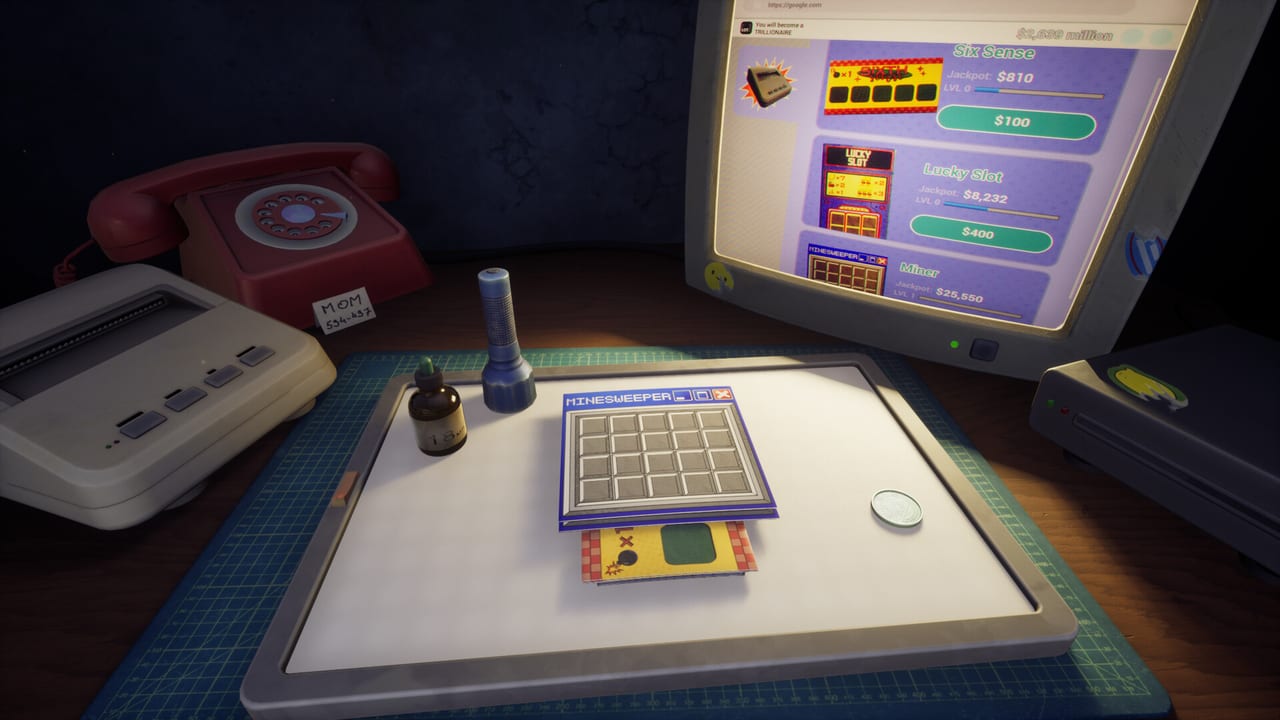
Launch Steam reviews mention a microscope that should make Scratch the Ticket’s first-person desk easier to read and instead becomes a physics story. Players describe it glitching into walls, zooming away, and joining the pile of Styrofoam-light props that fly when you try to tidy the table. This page treats the microscope as a real gadget in the information kit — beside Spy, UV, LED Panel, and Drop — and as a known handling risk.
We are not inventing hidden zoom multipliers. We are translating public player reports into habits you can use tonight.
What the microscope is for
The desk fantasy asks you to scratch foil in space, not on a 2D UI. Tiny bomb borders on Minesweeper Tickets punish hairline errors. A close-up tool exists so you can inspect a cell before the coin commits. Use it when a ticket is expensive relative to your bankroll, when LED silhouettes feel muddy, or when a timed bonus makes you rush. Do not use it to stall a cash-out you already know you should take. Cash-Out Strategy still wins arguments with zoom.
Physics and the reset button
Positive and negative reviews agree the desk can be clunky. Items clip, bounce, and fall through. One launch review’s practical fix is the handy reset that snaps every item back to spawn. If the microscope tunnels into geometry, do not wrestle it for thirty seconds during a live ticket. Reset, re-aim, then scratch. That habit belongs with Controls and Save Files if a session soft-locks.
The day-one Release Hotfix targeted LED Panel purchasing and the monitor shader, not microscope collision. Until a later patch names physics, treat reset as part of the meta.
When zoom is A-tier versus bait
A-tier: confirming a Spy mark you already revealed with UV, checking whether a Minesweeper seam is safe, or reading a LUCKY SLOT fruit that the camera mashed. Bait: zooming instead of cashing, zooming on Role B warm-ups, or zooming while a timed bonus screams. Information that does not change the stop rule is theater.
Pair the microscope with LED Panel for silhouette context and with Drop X-ray when you would rather solve the whole card than inspect one cell. Gadget Timing remains the spend order; zoom does not replace Drop.
Desk loadout
Launch players complain that too many tools on the table create accidents. Keep the microscope near the ticket, UV on the opposite side, and Drop off the scratch arc so a panic flick cannot spend it. If the pile becomes a junkyard, reset. If gadgets vanish off-screen — an older playtest bug — reset first, then consider a save backup.
Practice drill
Print a cheap ticket. Place the microscope. Inspect one cell. Cash. Repeat until the motion is boring. Only then bring it to a Role S card from Ticket Types. Boring hands win more apartments than cinematic zooms.
Steam Deck and close-up comfort
Deck owners who like the couch loop still need precision on bomb borders. If the trackpads make hairline foil worse, sit at a mouse for Minesweeper catalogues and keep the microscope for PC sessions. Camera Comfort options on the store page exist for a reason — combine them with lower sensitivity from Controls. A Mixed review is often a control review in disguise.
Related pages
Gadgets Hub for the rest of the kit, Review Roundup for why physics dominates Mixed scores, and Getting Started if you still need the printer-room onboarding. Official specs and Discord sit on the Links Hub.
The microscope is a reading lamp, not a luck charm. If it fights you, reset it. If the ticket still scares you, cash out.
Frequently Asked Questions
Quick answers to the most common questions.
Is the microscope in the demo?
Launch reviews discuss it in the full game. Demo tool lists varied by build. Check your live loadout and the Gadgets Hub.
What do I do if it clips through the wall?
Use the in-game reset that returns items to spawn, then continue. See Controls.
Does zoom reveal bombs like Drop?
No. Treat it as inspection, not an X-ray. Full reveals are Drop X-ray.
Should I keep every gadget on the desk?
No. Crowded tables cause flicks. Reset and keep only the tools the current ticket needs.